Pub rota software that costs the week while you are building it.
Drag shifts onto the grid and watch the labour figure move, with real UK employer costs behind it. Then send it for sign-off, route the holiday requests it creates, and keep the right-to-work paperwork in the same place as the person.
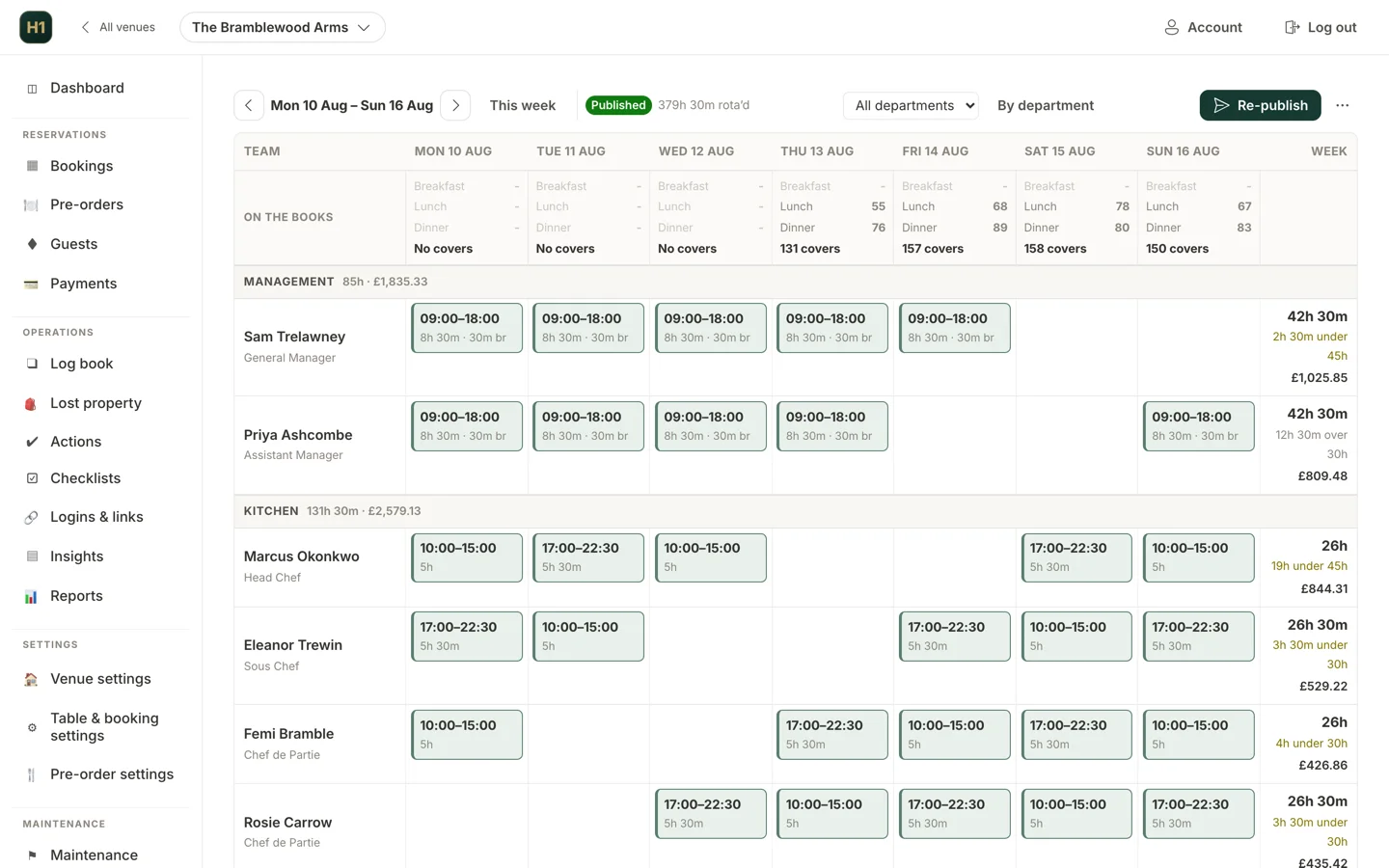
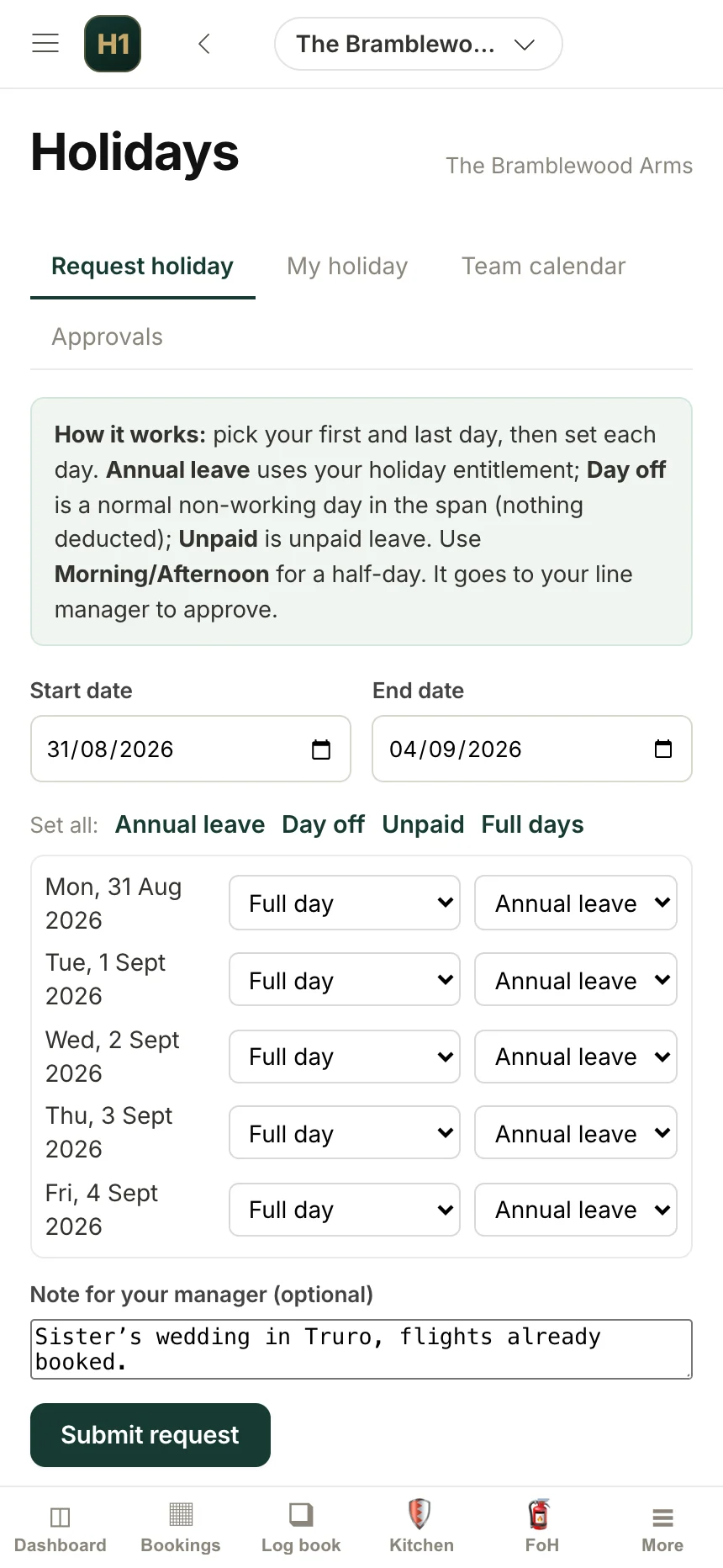
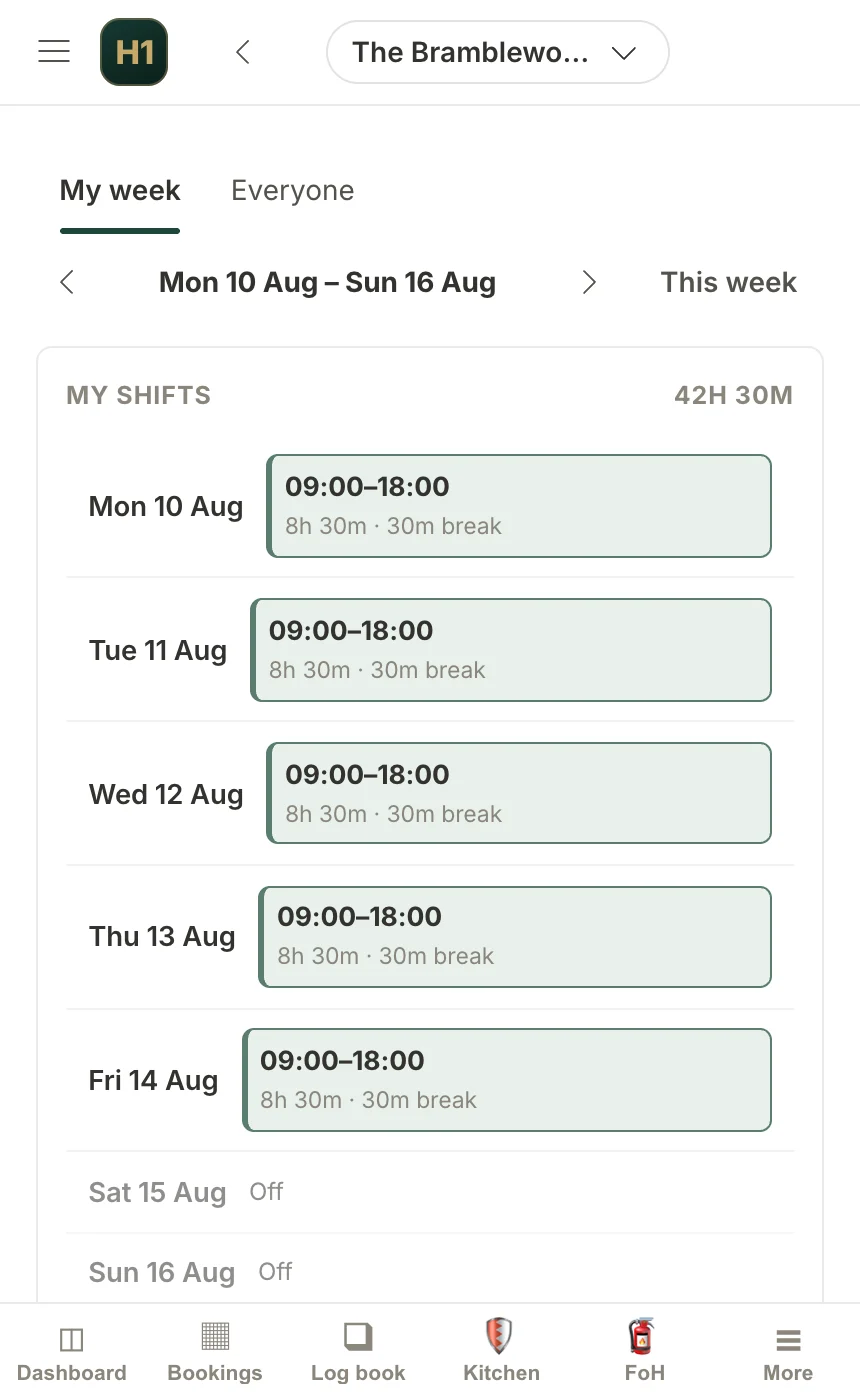
Build it, and see what it costs before you publish it.
The point of a rota tool is not prettier printing. It is knowing on Wednesday that next week is £600 over, while there is still time to do something about it.
Drag-and-drop shift building
Live UK labour cost forecast
Weekly wet, food and accommodation forecast
Change history
Configurable approval chain
Permissions default to No
Departments, seniority, and who covers when the head is away.
Build it once and the rest follows: who approves a holiday, who gets escalated a failed check, what each role can see. Head office sits above the line, single-site departments below it.
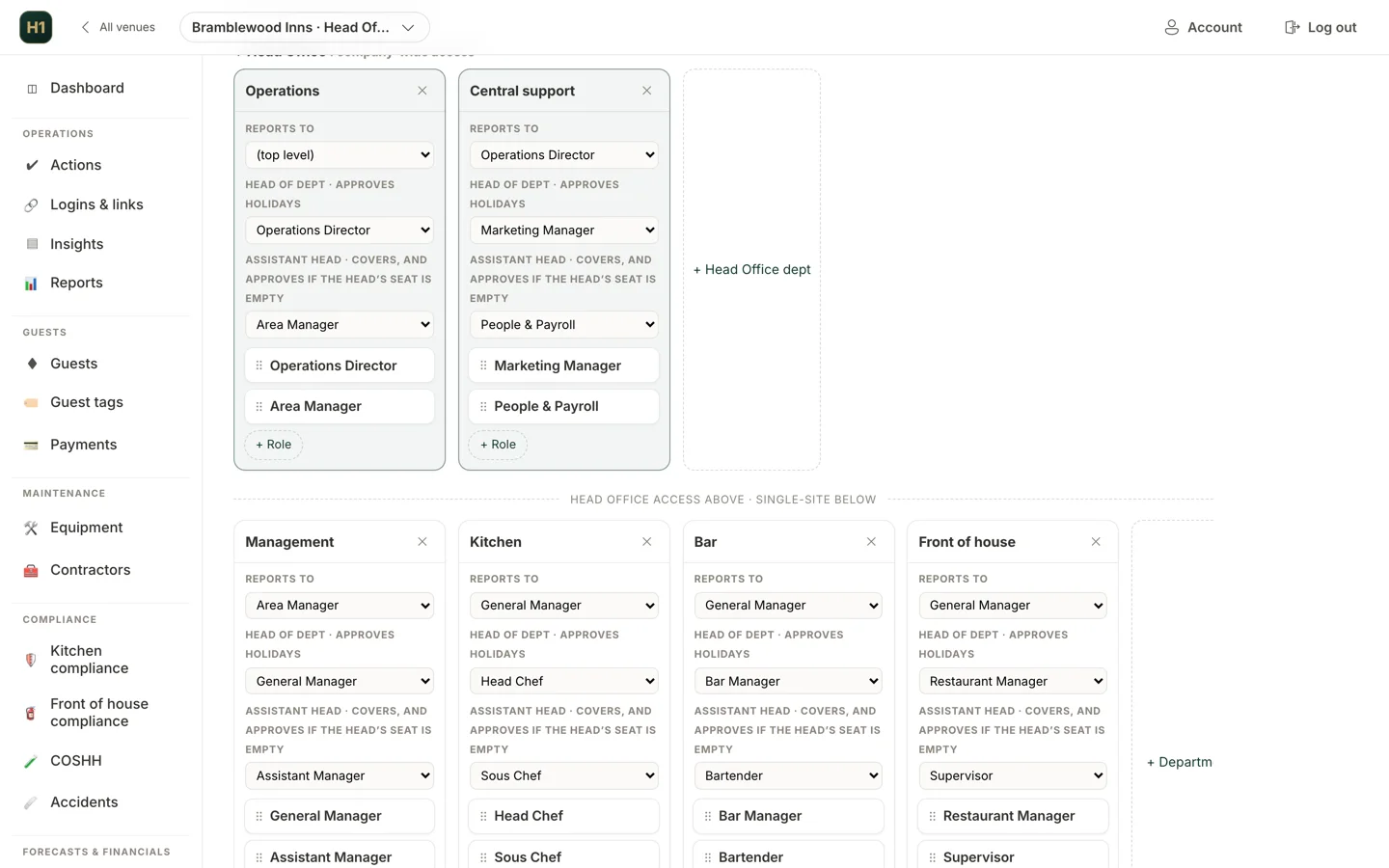
Requests route themselves to whoever is actually the approver.
Not a named person on a form. The approval route is derived from the org chart at the moment the request is made: head of department, then their assistant, then up the chain, escalating to a head office role if the chain runs out.
Live routing from the org chart
Group-wide holiday view
Self-service for staff
From the offer to the first shift, without a single printed form.
Hospitality hires fast and loses people faster, so the paperwork is usually the bit that slips. This is the whole sequence in one pipeline, and the candidate does their half from a phone, on a link, without an account: because on the day you make the offer they do not have one.
1. The offer
2. The contract
3. The starter form
4. Right to work
5. References
6. First shift
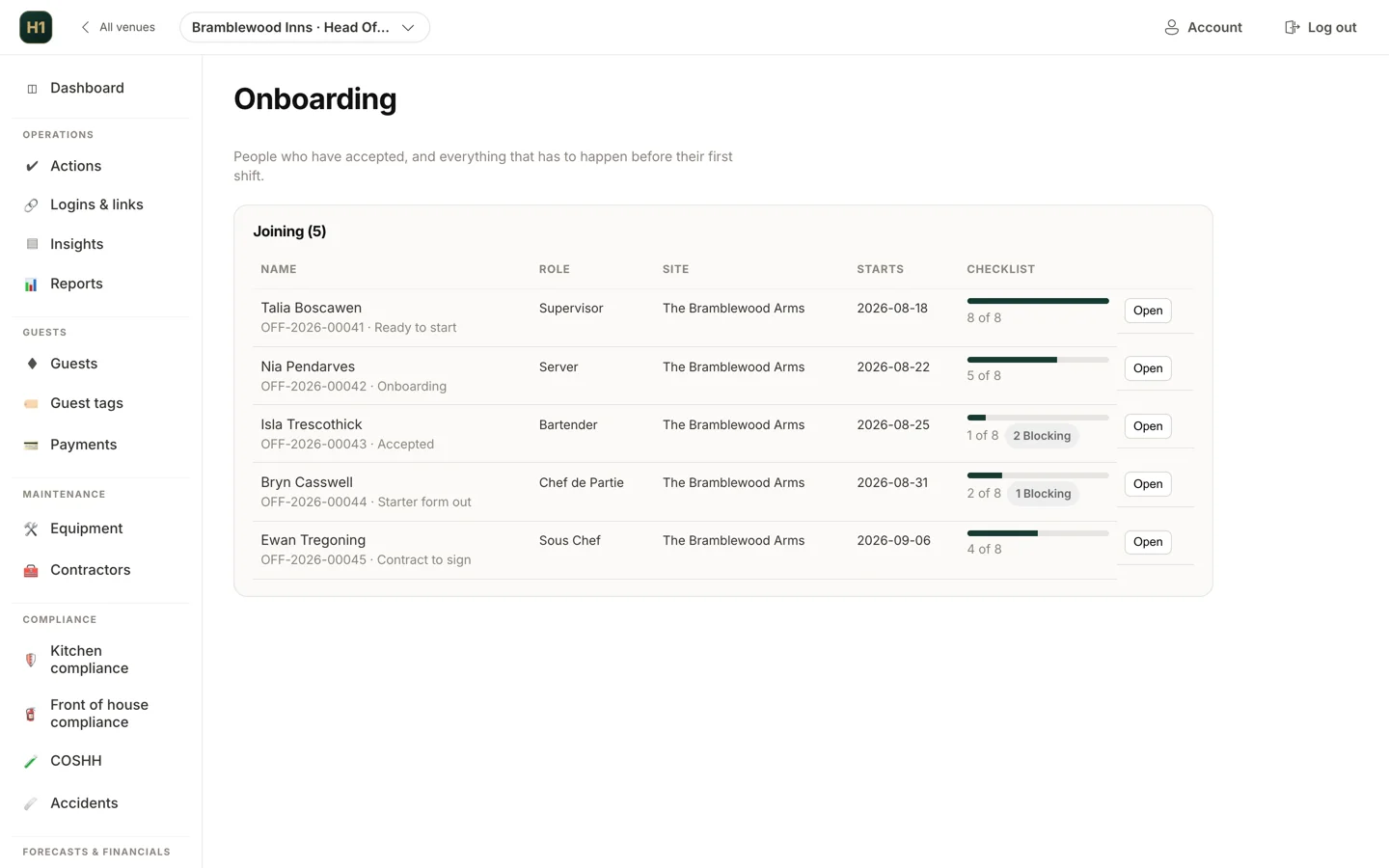
Everyone who has said yes, and what is still outstanding.
One row per starter, with their first day and how far through the checklist they are. The items marked blocking are the ones that must be done before a first shift, so a right-to-work check never gets discovered on the morning it was needed.
The staff file a pub actually needs to be able to produce.
Most of the value of an HR system is in the twelve months after the hire, when somebody asks for evidence that a policy was read, a probation was reviewed, or a leaver's access was closed.
Probation endings that prompt someone
Policy proof
Training with expiry
Document store per person
Leavers, closed properly
Archive then anonymise
Why the rota belongs with the booking system
A rota built in isolation is a guess about demand. The pub that knows it has 140 covers booked for Sunday and 40 for the Tuesday should not be staffing them from memory, and yet in most pubs the person building the rota is working from a different screen to the person taking the bookings, if the rota is not simply a spreadsheet.
Putting them in one system means the labour forecast sits next to the covers forecast, the staff list is the same list that compliance checks are attributed to, and the org chart that routes a holiday request is the same one that decides who gets escalated an out-of-range fridge temperature. There is one answer to who works here, and everything that depends on that answer stays consistent.
Rotas, holidays and HR are part of Hendra One at the same flat £100 per site per month, alongside bookings, guest CRM and compliance.
Rota and team questions.
Does the rota show what the week will cost?
+
Yes, as you build it. The forecast uses UK employer costs including National Insurance thresholds, and it applies the under-21 zero employer NI band correctly, which is where most spreadsheet rotas overstate the cost of younger staff.
Can rotas be signed off before staff see them?
+
Yes. Sign-off is configurable: off, one stage or two, with each stage naming a role from the org chart at site or head office level. Approvers are emailed, and head office gets a list of what is still pending.
How are holiday requests routed?
+
Approvers are derived live from the org chart: head of department, then their assistant, then up the chain, escalating to a head office role if it runs out. Because it resolves at request time, a leaver never needs their queue reassigned.
Does it keep right-to-work records?
+
Yes. There is a right-to-work register with document expiry tracking, alongside a staff document store, contract version history and countersigning, all with an audit trail.
Can we run recruitment and onboarding in it too?
+
Yes. There is an onboarding pipeline covering offers, contracts and starter forms, with candidate-facing links that need no account, references, probation endings and a leavers process.
Does a new starter need an account before they can fill anything in?
+
No, and that is deliberate. The offer, the contract signature and the starter form all work from a single-use link they can open on a phone. The account is only created when they are ready to start, at which point their role from the org chart decides what they can see.
What happens to the onboarding paperwork once they have started?
+
It stays on their staff record. The signed contract keeps its version history, the right-to-work documents keep their expiry dates, and the starter form details populate the record rather than being retyped. Nothing has to be filed anywhere separately.
See it running on your own menus and your own tables.
A 30-minute walkthrough with someone who has run a service, not a sales deck.